Category: Technology

You can enter a simple description of this category here

  • How Can VPS Hosting Be Beneficial For Your Business?

    How Can VPS Hosting Be Beneficial For Your Business?

    In today’s day and age, every work environment needs to have a website to function optimally. There are several options that you can choose from when it comes to your business website hosting. If you’re looking for an option that is relatively within your small budget, shared hosting is the way to go, however, it does not have as many features and power as the rest. A dedicated server, on the other hand, is quite expensive but it provides you with a lot of power and a wide variety of features.

    Virtual private server falls between the two, with the best qualities of both shared and dedicated servers. In VPS hosting, you can get all of your own resources on a server that is shared. VPS hosting comes in two different environments, Linux and Windows VPS Hosting. It really is a fantastic option for your ever-growing online business that has to deal with a moderate amount of internet traffic. However, what is the advantages of a VPS than shared or dedicated hosting won’t provide your company? Well, let’s explore and find out. Keep reading to find out the advantages of VPS for your business.

    1. Reliable Resources that increases reliability 

    The main element that makes VPS hosting different from other hosting options in the market is that it is private, completely independent from any other servers. Hence, the problems that other servers face do not affect you at all. The performance of your website is not affected at all or threatened due to the problems of various other virtual servers. Therefore Linux VPS hosting helps improve the performance of your website due to it being a much more reliable solution.

    1. Increased Performance

    Shared hosting plans host your website on the same server with innumerable other users that all share the same resources. VPS hosting, on the other hand, ensures the complete independence of your business from any other users. It is extremely important because websites that are hosted together and share resources can have a dire effect on one another and which can cause reduced functionality. For example, if the same server is hosting your website along with another website that is bringing in huge amounts of traffic, it can consume large resources that will cause all the other websites to slow down. VPS does not cause other websites’ functioning to affect your website in any way shape or form.

    1. Security 

    Virtual private servers can enhance your security by creating regular backups and providing extra protection. VPS servers do this off-site and automatically. So your data is entirely safe regardless of any malicious threat to your servers like malware and other damage. Traditional servers do not provide you with the same benefits. There are several security gains as well. These options in these systems help you gain control over who can gain access to your servers as well as decreasing the time it takes to access as well.

    1. Cost savings

    One of the main things that make virtual private servers so appealing is that it is a much more affordable alternative to cloud servers. A DIY model cannot offer you the best price that VPS can. There are various configurations of compute nodes that you can choose from. Setups of various sizes such ranging from small to large can all compute with a lot of memory available.

    A VPS server is much more economical than an unmanaged dedicated server as you do not have to spend on software licenses, cost of purchase, and giving employees their salary. There are also various costs related to the server and to power it, plus the cost of a network connection that is extremely high speed. On the other hand, you do not have to spend so much on VPS hosting.

    1. Scalability

    In case, you have a startup or a business that is relatively small, then you might be able to consistently predict the amount of traffic you can expect. On the other hand, if you have a business that is growing at a rapid pace, then an increasing customer base will result in more traffic. While a shared server does not afford a lot of flexibility and scalability, a VPS allows you to scale easily without the server’s functioning being affected at all. In reality, scaling can be easily done by upgrading hosting plans and this typically will not result in any downtime, so your website can function regularly without any hitch.

    1. Customer Service

    It can be extremely problematic to have problems crop up with your hosting service. Since your entire business is dependent on these servers, you need to take proper care of them. VPS gives you a dedicated customer service that is available at all times for your every need to help get rid of any issue you might encounter. They also provide their assistance for all of your business needs.

    Conclusion

    Hosting is incredibly important as an increasing number of businesses are turning towards the online platform to reach their customer base. However, the main issue that small to medium-sized businesses need to figure out is finding a host that is completely compatible with their needs. VPS takes care of all of your hosting requirements thus leaving you free to focus on core business responsibilities. It performs a major role in helping your business grow and flourish.

  • Is a cloud-based WAF Security solution a better solution?

    Is a cloud-based WAF Security solution a better solution?

    Some web hosting providers are using a cloud-based WAF Security solution to help keep customers’ sites up and running. Cloud solutions are often more cost-effective, with many consumers noting that they are satisfied with the benefits.

    With this in mind, it’s time to take a look at the pros and cons of using these solutions. While cloud WAFs can offer various levels of functionality, customers should be aware that there are drawbacks to the technology as well.

    The biggest problem with cloud-based WAF security is often not as good as you might expect. When customers go to check their sites for known threats, they may find that they’re safe even though the vulnerabilities are still present.

    In addition, a cloud-based WAF Security solution provides a cost-effective alternative to the complexities of installing and managing a firewall. Cloud-based WAF Security solutions offer an alternative to the costs associated with purchasing and maintaining a dedicated firewall.

    Reasons why cloud-based WAF Security solution a better solution

    Cloud-based WAF Security solution is a better solution because it doesn’t require any extra hardware and is only limited by the number of employees that are using the system at one time. Cloud-based solutions also don’t require any maintenance or upkeep, which saves organizations time and money.

    • Allows the business to shift the risk from maintaining their security system to a provider.
    • No need for as much tech knowledge to protect your site from cyber-attacks.
    • Generally safer as hackers find it harder to find ways to steal your data.
    • It can be cheaper and easier to maintain than a traditional firewall.

    A cloud-based WAF Security solution is a better solution

    A cloud-based WAF Security solution is a better solution for companies that want to protect their web applications without having to worry about the complexities of a dedicated firewall. A cloud-based WAF Security solution provides a cost-effective alternative to the complexities of installing and managing a firewall.

    Hybrid Cloud WAF Solutions provide organisations with real-time protection against the increasing threat of security attacks.

    As opposed to traditional firewalls, hybrid cloud WAF solutions are not limited to blocking traffic but also provide anti-malware protection and facilitate the multi-tenancy of applications.

    The benefits of a cloud-based solution include the ability to manage a WAF Security solution from anywhere and a central point for all security rules

    Cloud-based solutions offer the benefit of controlling and managing a WAF Security solution from anywhere and are a central point for all security rules. Cloud-based solutions provide remote management, which allows network administrators to log in remotely to set new policies or update configurations on their WAF security solution. This is helpful in cases where network administrators are not located at the site of the WAF security solution.

    Cloud-based solutions also allow multiple users to collaborate on an application’s security policies from different locations. Cloud-based WAF security solutions also provide greater flexibility in the way application traffic is protected, as well as the kind of WAF data they can use.

    In contrast, with software-based solutions, this feature is limited by the functionality of the installed software package and therefore might require multiple packages installed across different systems to create a multi-layered defense system.

    A web application firewall is installed at the server level while a cloud-based WAF Security solution is installed on a virtual machine

    Web application firewalls are much like smoke alarms – they can be deployed anywhere to protect their immediate area. Installing a web application firewall at the server level would be like installing a smoke alarm in a bedroom, while a cloud-based WAF Security solution would be like installing a smoke alarm in a different building in the middle of the forest.

    A web application firewall is an efficient and effective layer of security that can stop large-scale attacks that could compromise the integrity of the application or data, by analysing all requests made to the system. The firewall can be installed at the server level or deployed as a cloud-based solution, depending on the level of protection required.

    It has been proven to prevent data loss, cost savings.

    It has been proven to prevent data loss, cost savings, and productivity. Innovation IT Consultants is an IT company that will help companies of all sizes to implement cloud backup for data redundancy. It has been proven to prevent data loss, cost savings, and productivity.

    Beyond the need to protect the integrity of data, there are other goals that an organization might want to achieve with their cloud backup strategy. There are numerous examples of data loss in the news today, where data is either lost for good, or recoverable only with significant expense.

    If you’re not sure where your servers are located and what type of attack might be coming your way, maybe it’s time to upgrade.

    The security of your data is incredibly important, but it’s also difficult to determine where your servers are located and what type of attack might be coming your way. Fortunately, businesses in the age of technology have a wide variety of tools at their disposal in order to keep their data safe, which is why it may be time to upgrade your business’s security in order to protect against outside threats.

    This means moving away from local file storage and instead opting for a managed hosting solution that would allow you to safeguard all of your assets from one central location.

    A web application firewall (WAF) is a type of computer security system that monitors network traffic to detect and prevent potential attacks against web applications. A WAF is generally deployed as a cloud-based service that is managed by the service provider. The service provider can configure the WAF for different deployment scenarios, such as PCI DSS compliance or data loss prevention.

  • What does VMware Architect do?

    What does VMware Architect do?

    VMware ONE workspace as well as Horizon architecture analysis

    This chapter is one of a series that includes VMware Workspace ONE and VMware Horizon Reference Architecture, which provides guidance on building design, design monitoring, and application to AON and Horizon Workstation solutions.This chapter includes an overview of the basics, information about VMware industry standards, a review of VMware Workspace ONE and VMware Horizon, a discussion of architecture and graphics, best practice multiplayer sites, a list of authors and contributors for different chapters of reference. , and changelog.

    VMware Architect 

    In the other chapters of this book, design instructions are provided for each product – as well as the corresponding headquarters provided for each product – following the best practice for placing the part on the ground perfectly. To illustrate, we built a symbolic circle. Throughout this book, we have outlined the decisions made for this model environment, as well as the purpose for each decision and the definition of the design concept.


    VMware Referrals

    VMware designed and tested VMware reference companies to address commonly used issues, such as enterprise motion management, enterprise desktop recovery, remote access, and disaster recovery.

    This reference architecture of Workplace ONE and Horizon is a framework that aims to provide guidance on how AON Workplace architects and Horizon solutions should be designed and deployed. It showcases advanced design and low-level configuration management for the key features and integration points of the AON and Horizon Workstation. The result is a description of integrated services that address typical business usage issues.


    VMware’s reference architecture offers customers:


    Normal, tested, refurbished parts

    Wise designs that allow it to grow in the future

    Test and test design that minimizes implementation and operational risks

    Prompt implementation and lower costs

    This reference architecture does not provide performance data or weight test measurements. However, it does provide structure and direction for architecture in iterative blocks for scale. The following principles include the use of high reach and load balancing to ensure that there are no single points of failure and to provide a finished product design.

    Design Tools

    VMware Digital Workplace Designer is a companion and assistant to design and scale AON and Horizon workstations, to maintain VMware best practices and to assist you with key design decisions. The tool aims to establish a high-end original design for any design use and is intended to contribute to a proper design and planning process.


    VMware Digital Workstation Topology Tool allows you to create realistic graphic design by selecting an item in Horizon Workstation. It creates a diagram showing the selected parts and the connections between them. Topology tools can also be developed by Digital Designer in the Workplace to create an automated building design with specially designed parts as part of the design.


    Design decisions

    As part of creating this reference architecture, a complete environment was designed, built and tested. The chapter of this book provides a design decision that describes the choices we make and implement.


    Horizon

    With Horizon, VMware provides ease, security, speed, and scale to move virtual desktop sites and applications with resources such as cloud computing and cloud computing. With this new version, customers can access features such as:


    Horizon Cloud in Microsoft Azure

    Horizon Cloud in Microsoft Azure allows users to connect the existing Microsoft Azure infrastructure with the Horizon Cloud service to provide feature-rich virtual desktops and applications.


    Architectural Overview

    VMware Workspace ONE® design leverages a wide range of features and provides a wide range of user interface services. Before you can install and assemble these components to create the required service, you must design and create the required components.


    Note that other components, such as VMware Horizon® or VMware Horizon® Cloud Service ™ on Microsoft Azure, can be integrated with cloud deployment or using Workspace ONE.

    Director SINGLE Workplace Example

    The ONE Workspace platform includes the ONE Access Workspace and the ONE UEM Workspace. While each product can work independently, it’s the combination of what makes the Workspace ONE product work.


    Workspace ONE Access and Workspace ONE UEM are well integrated between equipment design and management. This integration has been streamlined in the latest translation to ensure that the ordering of each product is quite accurate.


    While Workspace ONE Access and Workspace ONE UEM are the main components in a Workspace ONE deployment, you can use different components depending on your business application. For example, as shown in the photo in the next section, you can use the VMware Unified Access Gateway 7 to provide VMware Workspace ONE® tunnels or VPN access to network resources. Home.

  • Some Tips to Keep in Mind Before Buying Solar System for Home

    Some Tips to Keep in Mind Before Buying Solar System for Home

    Energy is perhaps the most vital part of humanity’s progress and growth. The absence of energy will lead to zero innovation or creation, and humanity will be forced to accept a dearth of progress. However, mankind’s conventional energy sources, like coal, petroleum, and other fossil fuels, are running out.

    The planet will be empty of all forms of energy in a few decades. Any kind of power generation will come to a halt at that point. However, energy consumption is expanding at an exponential rate, with no signs of slowing down. Nevertheless, finishing the energy resources takes only a few years, but the formation of natural energy takes thousands of years.

    As a result, the globe must make a transition to alternative energy sources. The Sun is the ultimate form of energy, from which the whole plants or animals’ kingdom derives its energy. Solar radiation is the most effective technique to combat this issue. There had been a period when energy from the sun was stored and then used exclusively in remote regions in which other power resources were few or in manufacturing belts wherever electricity consumption was high.

    Whatever form of energy you pick to power your home, make certain that the supplier can give the necessary setups and services, such as end-to-end EPC services, management, and repair.

    If you’ve decided to purchase a solar power system for your house, here are some helpful hints.

    Let’s not be caught away by commercials:

    Several brands have integrated the solar power sector as a result of the growing popularity of rooftop solar panels for homes. Marketers try to sway consumers with a barrage of ads. You must not, yet, be taken away by the thrill of these commercials. It’s usually a good idea to ask for recommendations.

    You should inquire whether any of your relatives, family members, colleagues, or coworkers have put a residential solar system in their houses. Inquire about the business or brand they’ve opted for. There are a few questions you should ask them —

    • The standard of service
    • Easy to install.
    • If there are any issues,

    Only when you have received definitive responses to these inquiries can you proceed to select that product or brand.

    Be realistic about your financial situation:

    Solar panels for residences in India are not inexpensive. However, you should comprehend that by making this one-time expenditure, you are possibly earning a lot of money in the coming time. Your electricity bills will be greatly cut. All you’ll have to spend are the minimum infrastructure costs that would otherwise be associated with standard power sources. As a result, pick the top quality solar energy systems that will last for a considerable time to ensure that you do not have to spend a lot of money on maintenance and repairs.

    Recognize the surroundings and select the appropriate equipment:

    The area or location in which you will place your rooftop solar system for your home is really important. Monocrystalline systems are suitable if you reside in a location with unbroken intense sunshine for the majority of the year.

    Choose polycrystalline ones if you live in a community where straight or intense sunlight is infrequent. This will soak up the sunlight from various angles.

    Before you buy, be sure you’re in the right place:

    You must also consider the available space. You must ensure that there is no barrier between both the panels and the sunlight, regardless of the kind of solar energy system you opt for in your home.

    Examine certifications:

    It is among the most crucial recommendations to keep in mind when purchasing a solar energy system for your home. Check to see whether your solar system has any certifications. It applies to all types of solar PV panels that you are considering purchasing. The certifications show what kind of screening the panels have undergone. You may be eligible for government reimbursements if you choose specific types. If you want to save your budget on the finest solar energy systems for residential usage, then don’t miss going for them.

    Solar inverter:

    It is a critical component of a residential solar system. It transforms collected DC to consumable AC. The stronger the photovoltaic inverter, the less electricity that is retained will be wasted. It will leave a notable impression on your economic state.

    Examine your mounting system:

    If you want to discover how much money solar power systems save, you must take into account all of the other elements involved. The mounting system is one of them. Solar cells will be less likely to be unmounted just before a severe storm if the finest installation techniques are used. This is highly relevant if you reside in a cyclone-prone location.

    There are 2 kinds of installation choices: flush mounting, which is simple to set up and cost-effective. and the other one is a roof or floor mounting, which is more difficult to set up and more expensive. The latter one is somewhat more costly, but it ensures that the solar energy system will endure a long time. Flush mounting is ideal for places that are not vulnerable to cyclones. However, if the location is exposed to cyclones, the device should be secured by putting it on the rooftop or the floor.

    Warranty:

    The solar power system’s warranty would be the final but not any lesser crucial consideration. It is, in reality, a highly perplexing aspect. Numerous companies offer a better warranty for a longer period, up to 25 years or longer. Nevertheless, the businesses do not have reliable service or enterprise operations in the nation, and you may not receive the necessary assistance and assistance when the time is right. Rather, choose a reputable company that provides a replacement guarantee for both large and small solar panels for household usage.

    So we can conclude by saying that now is the time to make the move to solar systems for household electricity production and demand. It is the most environmentally beneficial option, and the world requires this change. Save money while also saving the environment. Brace for a world that will soon shift to solar power.

  • Amazing Xiaomi Redmi Note 9 Smartphone Review

    Amazing Xiaomi Redmi Note 9 Smartphone Review

    Every 12 months, Xiaomi launches new smartphones and each time they bring a touch more puzzling because they exchange names, product traces and release competing models. There is almost a Xiaomi smartphone in each fee range and from time to time it is an element that sets them aside.


    The Redmi Note nine is an access-level model that like its predecessors (Redmi Note 7 / Redmi Note 8) will possibly end up a blockbuster. The positioning of the Redmi may be very clean: supplying a maximum for the lowest rate.

    So far, Xiaomi has in no way been disappointed, will the Redmi Note 9 make life even harder for its competition?


    Specifications

    The statistics underneath come from the Device Info HW software. The utility gives targeted technical records about the examined phone. On a day-by-day basis, the cellphone performs without any hassle all the commonplace responsibilities, I note a slight put off in the display compared to a Redmi Note 9s however that is logical due to the fact the latter offers performance nearly 50% higher.


    I tested the 3Gb / sixty-four Gb version which answers to the code name “Merlin” and the MT6768 model.

    The Redmi Note 9 is geared up with a Mediatek G70 processor wherein Redmi are typically equipped with a Snapdragon processor. This processor offers similar overall performance to the Snapdragon 710 determined within the Xiaomi Mi nine Lite.


    Graphically, the Redmi Note 9 is ready with a Mali G52 GPU that is also located in the Honor 9x. This GPU offers a peak performance equal to an Adreno 610 also found in the Motorola G8 Power or the Redmi Note eight.


    This mixture has to provide enough performance for all applications as well as 3-d games with occasionally a predicament inside the stage of images.


    First Configuration

    The configuration of the Redmi Note nine follows identical standards because of the configuration of most Android telephones however a few changes have been regarded on this Redmi Note nine as compared to the Redmi Note 9s I just tested.


    The maximum major alternate is the display screen that proposes which seek engine you need to apply. It’s the primary time I see this desire performing and it’s not insignificant. I imagine that Xiaomi desires to try to take it away from Google after what passed off between Google and Huawei but the proposed engines are not but legitimate options to reduce the significance of Google in our everyday lives.


    The utility recuperation process also gives a brand new choice primarily based on a picture that must be identical to the one displayed for your vintage device. The transfer allows you to renew your programs however also the accounts used on the opposite telephone, this can be very handy if like me you regularly alternate your telephone.


    Facial recognition has disappeared from the preliminary configuration, but it’s far nonetheless available inside the tool settings.


    Just at the end, Xiaomi will try to place its cloud provider but you may handiest must pass a screen.


    I got two error messages in the method however I suspect my router is answerable for this problem due to the fact my router blocks what it considers to be marketing and those calls to Google or Xiaomi are therefore blocked.


    Why This Phone

    Just years ago, nobody knew about Xiaomi, not to mention the Redmi logo. Today, checks and articles about Xiaomi can be found on nearly all specialized websites. Each new technology of Redmi is an ought to-see event for those interested in smartphones.


    So for some distance, I actually have offered the Redmi Note 5, the Redmi Note 7, the Redmi Note 8, the Redmi Note 9s, and the Redmi Note eight Pro. The Redmi Note 9 is the sixth Redmi that I am checking out.

    Xiaomi commonly launches two Redmi tiers per year, the first wave brings something new and the second wave just brings minor evolutions. The Redmi Note nine is in the first category, so it ought to deliver something new and the primary novelty is its length and format. The Redmi range has grown and received weight to provide an ever-larger display screen and a battery with even greater battery life. The manipulated buttons have come to be very skinny, it’s very aesthetic but no longer always practical. The back of the cell phone goes in a delirium of colors wherein previous models presented a more sober configuration. This Redmi Note nine confirms that that is a big evolution.


    The Redmi Note 9 comes with the Redmi Note 9s and the Redmi Note 9 Pro, those devices’ appearances are very similar and the variations aren’t very apparent. Usually, the difference between the ordinary scale (Redmi Note X) and the pro scale (Redmi Note X Pro) is a lot more mentioned.

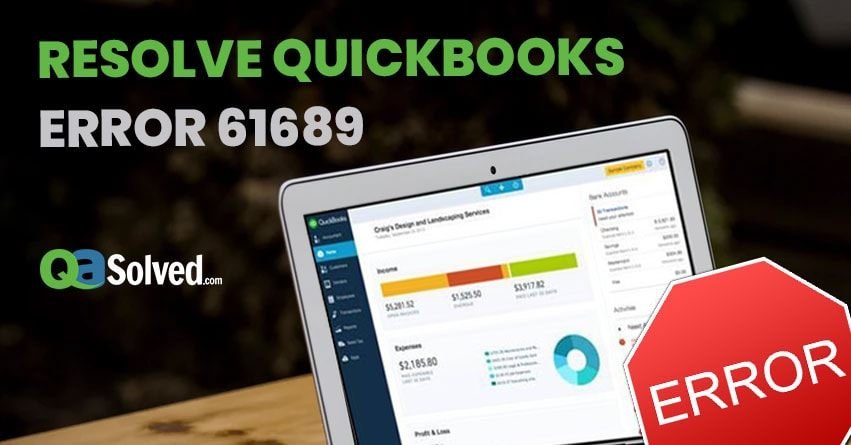
  • How to Fix Quickbooks Error 61689?

    How to Fix Quickbooks Error 61689?

    QuickBooks mileage receives updates on a normal basis in order that guests of this software program face smaller bugs and miscalculations. But, still, guests of QuickBooks account software get one or lesser crimes from time to time. One similar boob is QuickBooks crimes 61689.

    QuickBooks crimes conforming of QuickBooks miscalculations 61689 are commodities that no account expert solicitations to face, specifically at the same time as doing critical work. Whilst you’re managing a whole lot of oils and suddenly a QuickBooks crimes pop up on the display screen, it’s far veritably an awful lot ordinary that you’ll get enough angry. Then, in this textbook, we will find out about QB blunders Code 61689, about its causes, and eventually, roughly its results.

    What are QuickBooks crimes 61689?

    QB miscalculations 61689 isn’t always an uncommon boob. This error is generally displayed while a person is making an attempt to put in QuickBooks. It can do because of a problem with the installer and may indicate that the theframework.Xml train is broken or is misconfigured. The prevalence of this mistake may also indicate inconsistencies inside the running system.

    What takes place while QuickBooks miscalculations 61689 happen?

    While this error happens, druggies can get the posterior signs and symptoms –

    .

    Windows may also decelerate down while you’re working on it.

    Your computer may also indurate for some seconds.

    QuickBooks freezes or may crop as unresponsive.

    While this mistake appears, the Microsoft program that’s presently going for walks may also stop responding.

    Your pc might also get crashed.

    Why Does QuickBooks error Code 61689 arise?

    QuickBooks blunders Code 61689 may also be because of some following major reasons. And the reasons are as follows-

    • All the installer programs have simply no longer downloaded fully and impeccably.
    • When the home windows Registry has were given just corrupted or damaged.
    • Home windows all the installer operation has just got affected with a malign malware or contagion.
    • Some of the important documents in the installer software have got simply deleted, this error occurs.
    • Simply a complete runtime mistake is the main reason due to this error.
    • When some of the troubles have just passed with theframework.Xml document.

    Answers to fix QuickBooks blunders 61689

    You could strive the posterior results to repair this error –

    Home windows Registry form

    Still, also you have to get the Registry repaired If in case you’re going through this error because of the loose Windows Registry. It isn’t supported to restore Registry yourself as this could reason a critical detriment.

    Trial Your laptop veritably well

    Run a radical trial of your contrivance by means of using tremendous antimalware software. This software will do down with any contagion, trojan, malware, etc. This is leading to QuickBooks error 61689.

    Use QBInstall device

    • First out, download this tool and keep it.
    • Near operations or programs which might be opened.
    • Run the thedownloaded.Exe document.
    • Press the launch checkup button on the QBInstall tool.
    • Renew contrivance after the test has finished.
    • You’ll be requested to check-in or spark off QB formerly more.
    • Update your windows.
    • Renew the laptop and install QB formerly more.

    Installer – Uninstall and Reinstall

    • To begin with, uninstall the installer program.
    • Also, reinstall it.
    • Now, take a look at if QuickBooks crimes 61689 are appearing or now not.

    Put off Junk files

    Still, the installer software won’t be suitable to serve well, If there are too numerous junk lines in the contrivance. The junk lines eat lots of areas within the delicate force, as a consequence decelerating the installer. Drawing junk documents from the system can help fix this difficulty.

    Update your windows

    • Type home windows Updates in the seek field close to the launch menu.
    • Open home windows replace.
    • Now, simply download and just emplace all the updates.
    • Renew your laptop.
    • In the end, see if you’re getting QuickBooks error 61689.
  • Know how Predictive Analytics can help healthcare organizations in crisis

    Know how Predictive Analytics can help healthcare organizations in crisis

    Predictive analytics is the use of statistics along with modeling techniques to predict future outcomes and performance. Predictive analytics analyzes historical and current data patterns to see if they are likely to return. This allows investors and businesses to make adjustments to their resources in order to benefit from future events. Predictive analytics can also be used to increase operational efficiency and decrease risk.

    Predictive Analytics in Healthcare

    Just days after the covid second wave hit that claimed many lives in India, the Supreme Court of India established a 12-member taskforce to distribute medical oxygen to the Union territories. The Supreme Court of India was concerned about the government’s plans and methods for medical oxygen distribution. Covid-19 already claimed thousands of lives during the second wave.

    India’s already overburdened healthcare system has seen significant changes due to rising Covid-19 caseloads. In India, the situation is precarious. However, there was been a shortage of ambulances, medicine and hospital beds. Many hospitals have also sent SOS letters to the states.

    The second wave of the virus was so destructive because the authorities didn’t anticipate its potential power and spread like wildfire. There was very little preparation.

    Healthcare organizations could have used predictive analytics to help them identify potential resource shortages and other issues ahead of time. ACSG Corp is a critical infrastructure company that can bridge the gap by monitoring, analyzing and predicting data trends.

    A potential defense system was developed by this company that uses data analytics. If used with intelligence, the data generated from the outbreak of the pandemic could change the dynamics.

    Through official applications such as AarogyaSetu, data from Government Hospitals can be used to help with resource allocation based on various parameters related past developments and arising requirements.

    Concern in Healthcare

    India should be concerned about the importance of anticipating future events in a healthcare crisis. Analytics is increasingly being used by organizations to assess and understand risks. Analytics can help governments in times of crisis by analyzing patterns and predicting future challenges.

    An analysis of the relationship between Covid-19’s first and second waves would have indicated that more medical supplies were needed, including medical oxygen.

    Other benefits of Predictive Analytics

    Predictive analytics can be used in many industries to make decisions.

    Forecasting

    Forecasting is vital in manufacturing as it allows for optimal use of resources within a supply chains. Forecasts are essential for the smooth functioning of critical parts of the supply chain wheel.

    Predictive modeling can be used to optimize and clean up the data used in forecasts. To ensure an accurate forecast, modeling ensures that the system can ingest more data, even from customer-facing operations.

    Credit

    Predictive analytics are used extensively in credit scoring. Credit scoring is a process that uses data about the credit history of the consumer and business to predict whether the applicant will fail to repay any credit.

    Underwriting

    Underwriting is a complex business that relies heavily on data and predictive analytics. Insurance companies assess policy applicants to determine whether they will have to pay for a future claim. This is based on past payouts and the risk pool that has been created. Actuaries routinely use predictive models that compare past policyholders’ characteristics with claims data.

    Marketing

    When planning a new campaign, people in this field analyze how consumers react to the economy. These demographic shifts can be used to determine whether the current product mix will attract consumers to purchase.

    When deciding whether to purchase or sell a security, active traders look at several metrics that are based on past events. The historical data used to predict future price movements is used to calculate moving averages, bands and breakpoints.

  • How to Approach Corporate Business Level with the Help of Technology

    How to Approach Corporate Business Level with the Help of Technology

    The world is changing daily. Keeping up with the times, and improving your business to keep pace, can be difficult. However, technology has made this journey much easier on many levels. One of the most important aspects is how you approach Corporate Business Level with the help of technology! Hiring a professional Software Development Company will be a good idea to develop corporate-level applications. These applications can support your company to get into an immense domain.

    Technology has given us the ability to work from anywhere, anytime. This is why businesses must use technology. They need to keep up with the times. Smaller businesses can use software like invoicing apps that you can download on your phone. in contrast. Larger enterprises may need more robust solutions such as enterprise resource planning (ERP) systems. Technology is suitable for growing your business. This will help you stay competitive with other companies. You’ll learn about some examples throughout the post.

    With the help of technology, there is no reason why a business cannot approach corporate levels. Even if you are a small company, there are many ways to grow your company using technology. Technology can make it easier to work from a smartphone. You can use an app like Freshbooks on the phone to do many things. This means you can send invoices, keep track of your business expenses, and more. This way, you can keep all of your business information with you at any time, anywhere. Then there is no need to go back and forth between books or laptops. This will save a lot of time and energy. You can use that time to work on your company by improving customer service or marketing.

    The benefits of using technology in the workplace:

    You can use technology to do many tasks at work. However, it’s important to remember that it should always be used as a time-saver, not as a way around all your responsibilities. The benefits of using technology in the workplace are saving money, making life easier for employees and their customers, increasing employee efficiency, giving access to information quickly. Excellent and professional Software Development Companies can help you build the best software for you.

    The first advantage of using technology in the workplace is saving money. Many companies want to save money by using employee technology. If people don’t use paper or toner, then they will save money. They will not have to pay someone to unjam the copier machine. The second benefit is making life easier for employees and customers. For example, An email system is a way for people to talk to each other on computers and smartphones. It is like a phone call but cheaper than long-distance calling rates. Another example is The use of computers which store essential information. You can use them anywhere, anytime on any device.

    Performance management is further enhanced by technology:

    Businesses are always looking for ways to improve their market share so that you can use this information to your advantage. Stay on top of the latest business news and trends to stay ahead of the game when it comes time to approach corporate business levels. With the right approach, you can gain more customers in less time with little money. Technology has made it easier than ever before for businesses to succeed. This is especially true with websites and social media campaigns.

    Ways to approach implementing new technologies:

    The first step is to decide what types of technologies you want to implement. If you’re just getting started, it’s best to keep things simple and choose one or two. It would help if you thought about how your company uses technology before implementing anything. For example, if your company focuses on digital marketing, you should look into things like websites and social media. However, If you are worried about money or have a lot of inventory, think about using Quickbooks for accounting.


    Once you’ve decided what systems you want to implement, it’s time to choose the service providers that will help make this happen. You can research different companies online to find the best fit for your needs. You might not be able to find a house that is perfect for you. Ask your friends and family members for help. They might know about a home that you can buy. Finally, it’s time for installation and instruction. Even though hiring outside help can be expensive, it may be worth it.

    Tips for making the most out of your current tech resources:

    One of the best things you can do is add some books to your tech collection. Some of them are about programming, and others are about business-related subjects. These will help you learn more about the field that interests you most. Set up a day where you only use the apps on your phone that is useful. If you have apps that you never look at or use, then delete them.

    You can also get rid of texts and phone calls from people who don’t contribute to a healthy social life. Turn off your notifications on all of your devices. This will let you focus more on what’s going on around you instead of being distracted by a device in your hand. And finally, make sure no one is distracting you while trying to study or work. Make it clear that when someone comes up to talk to you, they need to wait until later because right now is not a good time.

    Conclusion:

    In this blog post, we looked at how to approach the corporate business level with the help of technology. The available technologies for you to use in your marketing efforts can be a huge part of success and growth. Think about what type of Software Development Services might be helpful for you. Do you need something more basic like an email automation service, or is it time to consider enterprise-level solutions? Successful entrepreneurs might not be successful if they grow their company too quickly. They should think about the long-term. Finally, we talked about how AI could lead us into a new era of innovation and privacy concerns surrounding data collection.


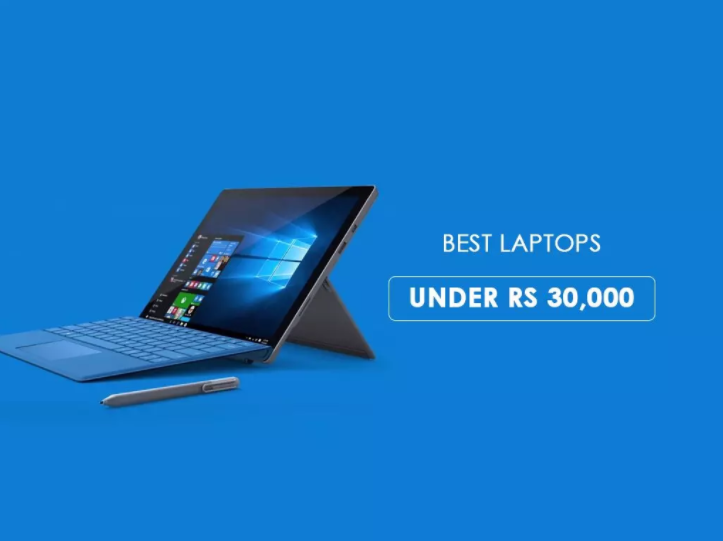
  • Choosing is an Ultra-Portable Laptop for Your Computer Needs Under 30000.

    Choosing is an Ultra-Portable Laptop for Your Computer Needs Under 30000.


    Dell has gained its fame because of its budget-friendly price. You will easily get high-quality Dell laptops under 30000. There are countless reasons for which Dell has become the best laptop in the market. You get a fair price along with assured durability and numerous high-class features. Added to these, Dell comes with a plethora of choices that can be both delightful and overwhelming. If you are looking for a durable window laptop under 30000, Dell can be your right pick. The extensive product range makes Dell one of the best laptop markets. Here are some of the best Dell laptops to look for when you are purchasing a high-quality budget laptop. 

    Dell Inspiron 14

    If you are looking for a powerful laptop with high-quality features, this is the one to opt for. Dell Inspiron has gained a lot of fame among its users. The high specification is an excellent feature of this laptop. It is one of the best Dell laptops under 30000. This machine is for those users who need a laptop for uninterrupted operation. It has the power to support the need for continuous service. A huge storage system is another great feature to look for. Now, you don’t have to worry about downloading heavy files. The high storage system offers you the luxury to play  and work for long hours. What makes this laptop a great buy is its price. Low prices and high quality make it the best purchase for those who want a laptop with smooth performance. 

    Dell Inspiron 14

    • Display – 14-inch
    • RAM – 4GB
    • Processor – i3

    Dell Vostro 14

    Lightweight and sleek design make this laptop a great purchase for those who move around a lot. If you have to carry your laptop for work purposes, this should be your ideal choice. Dell Vostro comes with a portable design that enables its users to move around with this machine with ease. You don’t have to worry about the laptop weight when you are on the go. The 1-inch display offers a comfortable viewing ability. You can watch movies and videos comfortably. It is the ideal laptop for attending online classes. Its smooth performance and seamless operation make it the best laptop under 30000. Its anti-glare display does not affect eyesight. High data storage system is another added advantage of this laptop. 4GB RAM helps in heavy mobile application download without any trouble. 

    Features

    • Display – 14-inch
    • RAM – 4GB
    • Processor – AMD Dual- Athlon 3050

    Dell Inspiron 15 

    If you are looking for an i3 laptop for under Rs 30,000, this is the one to look for. Loaded with high-quality features, this laptop offers a long list of benefits. If you are looking for uninterrupted service, this laptop will support your needs. You can use this for video watching. It possesses the power to support your long working hours as well. Budget-friendly and high-quality, Dell Inspiron offers more features than one can expect in a laptop under 30000. The best thing about the laptop is its weight. It is light enough to support your need to carry the laptop around. Those who move around a lot will appreciate this laptop. In addition to this, it comes with a high storage capacity. You will not have to delete your heavy files now. It possesses the ability to accommodate heavy files and  applications.

    Features

    • Display – 14-inches
    • RAM – 4GB
    • Processor -, Intel Core i3 (6th Gen)

    HP Chk 14A

    Powered by an AMD processor this laptop under 30000 brings to you everything one might expect from a budget laptop. It is the perfect combination of durability and functionality. You can use this for both professional and personal purposes. If you are fond of , this laptop gives you the right support to match your requirements.

    Features

    • Display – 14-inch
    • RAM – 4GB
    • Processor – AMD

    If you are looking for a budget laptop, you can visit Bajaj Finserv EMI Store. Here you will get a lot of laptops under 30000. Be it Dell or HP, you can purchase your preferred machine at No Cost EMI and zero down payment. If you have Bajaj Finserv EMI Network Card, you can obtain purchase credit of up to Rs 4 lakh.


  • How To Get Windows 11 Start Menu

    How To Get Windows 11 Start Menu

    The new Start menu in Windows 11 is looking unstable so far. However it presumably has its fans, many individuals have given its interface disapproval. In case you’re one of them, however, you can accomplish something beyond grumbling about it. 


    However the new Start menu isn’t so adaptable as the one in Windows 10, there are ways of making it look and work how you need. In case that is adequately not, you might need to consider escaping to a Windows 11 Start menu elective, similar to Start 11 and StartAllBack, to reestablish a more conventional Start menu and set the look, format, colors, and different components. 


    When you redesign from Windows 10 to Windows 11, one of the principal things you might do is a wonder: where the hell is my Start menu? Generally, the Windows Start menu has been in the lower-left corner of the screen, yet when your new form of Windows shows up, you’ll discover the start symbol between a combination of symbols in the focal point of your taskbar at the lower part of the screen. 


    The Microsoft Windows Start menu is the essential area in Windows to find your introduced projects and discover any records or organizers. Naturally, the Start menu is gotten to by clicking Start in the base left corner of the Windows work area screen. The image shows an illustration of the Windows 7 Start menu. 

    Welcome to the Windows 11 Start Menu 

    Start Menu: The Left Side 

    The most stunning thing about the Windows 10 Start menu is that Windows 10 has a Start menu—something been absent since Windows 7. The left side, or something like it, has been with Windows all along. The right side is a pared-back variant of the Start screen that recognized Windows 8. 


    The left side might appear as though the Start menu has been in Windows all along (besides during that one awful three-year Windows 8 stage). However, there’s a major distinction: In Windows 10, you can’t utilize it to list your beloved projects, envelopes, and records. (That is the thing that the right side is for.) The left side is intended to be overseen and run altogether by Windows itself.


    The left side has five segments, depicted here through and through: 


    Snap-on the Start menu symbol, and things will appear to be extremely unique also. Rather than the huge square Live Tiles that used to spring up, you have a significantly more unassuming arrangement of application symbols, for the most part showing Microsoft-related applications, stuck to the principle page. Snap-on “All applications” on the upper right corner (just beneath the hunt field) and you get the natural start to finish posting of applications. In any case, no tiles. 


    Look beneath the application symbols, and you’ll discover a “Suggested” segment, which offers applications that Microsoft figures you should attempt (like Teams), and if you click on the “More” button, a portion of the records or applications you might have utilized as of late. 

    Where is the Start menu

    Coincidentally, that search field? Snap-in that, and the Start menu will open up, giving you quick admittance to File Explorer, Settings, and other applications. 


    While some might see the value in this more strict variant to the Start menu, other people who have become acclimated to the more configurable form in Windows 10 might need to know how they can return to the more recognizable, and more close to home, adaptation.

    You can get a portion of the way thereby moving the focused applications to one side of the taskbar: 


    • Right-click on the taskbar and snap on “Taskbar settings” 


    • Select “Taskbar practices” 


    • Search for “Taskbar arrangement” and snap on the button on the right where it says “Center.” Select “Left” all things considered. 


    • Close the settings window, and you’ll see that the application symbols in the taskbar have moved to one side, with the Start menu symbol in the corner. 


    While this will put the Start menu back where you anticipated it, it won’t reestablish the one you were utilized to. To get that back, you must go to an outsider application. 


    As this was being composed, there was at that point no less than one accessible. Stardock, an organization whose Start10 application permits Windows 10 clients to keep their cherished Windows 7 menu UI, has effectively made an accessible beta of its Start11 application, which it says will bring back the exemplary Windows 10 Start menu. The application costs $5. 


    Up until this point, Start11 is the just application we’ve discovered that indicates to reestablish the Windows 10 menu framework. It is certainly not to be the last, however — there were a few applications out there that obliged Windows 7 fans when Windows 10 came out, and you can wager that there will before long be different choices for the Windows 10 “look” also. (Some regedit hacks are coasting around out there, yet most are either exceptionally intricate or were made pointless someplace along Microsoft’s beta cycle.)

    How to Replace the Start Menu in Windows 11

    Windows 11 makes them interested in new components, yet its UI is polarizing. In case you’re similar to me, you downloaded a Windows 11 ISO and did a clean introduction on a test machine, yet don’t care for the new form of the Start menu since it takes up more screenland and makes you click a button to see a total, sequential rundown of all your applications. 


    Luckily, with an outsider application and perhaps a library change, you can get an alternate style of Start menu that is nearer to the look and feel of Windows 7 than Windows 10 and gives you heaps of choices. There are a couple of various utilities out there yet I tried with the three generally well-known: Open-Shell (once in the past Classic Shell), a free open-source application, StartAllBack, and Start11, which cost $4.99 each and have much greater usefulness. 


    Beneath, I’ll tell you the best way to supplant the Windows 11 Start menu with any of these outsider utilities and ensure they show up in the perfect spot. 

    Best Windows 11 Start Menu Replacement

    Of the three Windows 11 Start Menu substitutions, each has its upsides and downsides. Open-Shell is the most exceedingly awful because it doesn’t naturally incorporate into the Windows 11 taskbar, driving you to utilize a library hack that messes up the inquiry work. It likewise looks just like a Windows 7 menu, not the later Windows 10 style. Nonetheless, it’s additionally the main free choice.